
One toolkit, from artwork to blade
WX Studio Desktop provides graphic editing, contour generation and cutting output. The CorelDRAW and Illustrator plugins offer cutting tools in their respective applications; features depend on version and license. WX Studio App brings design and cutting to phones and tablets.
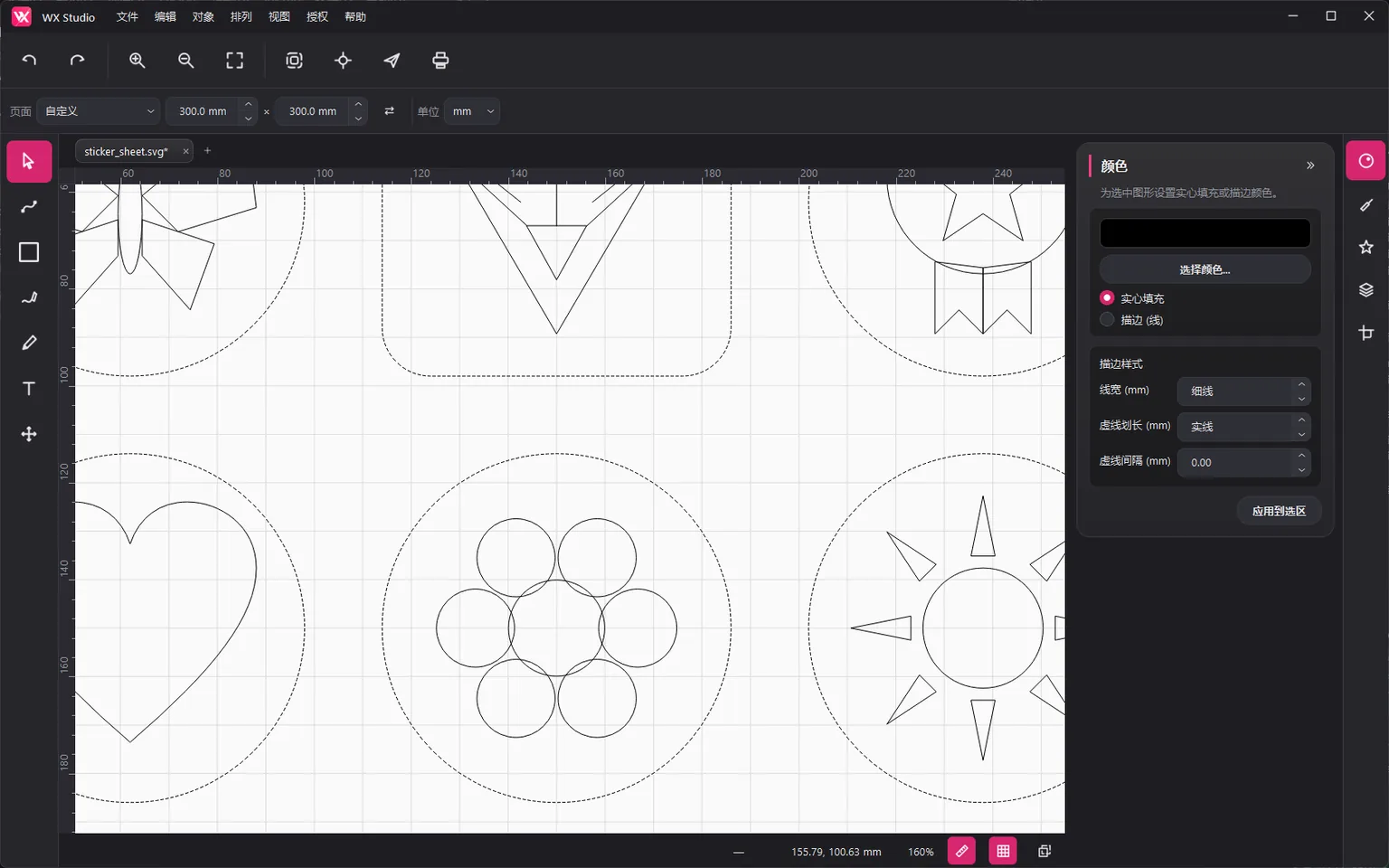
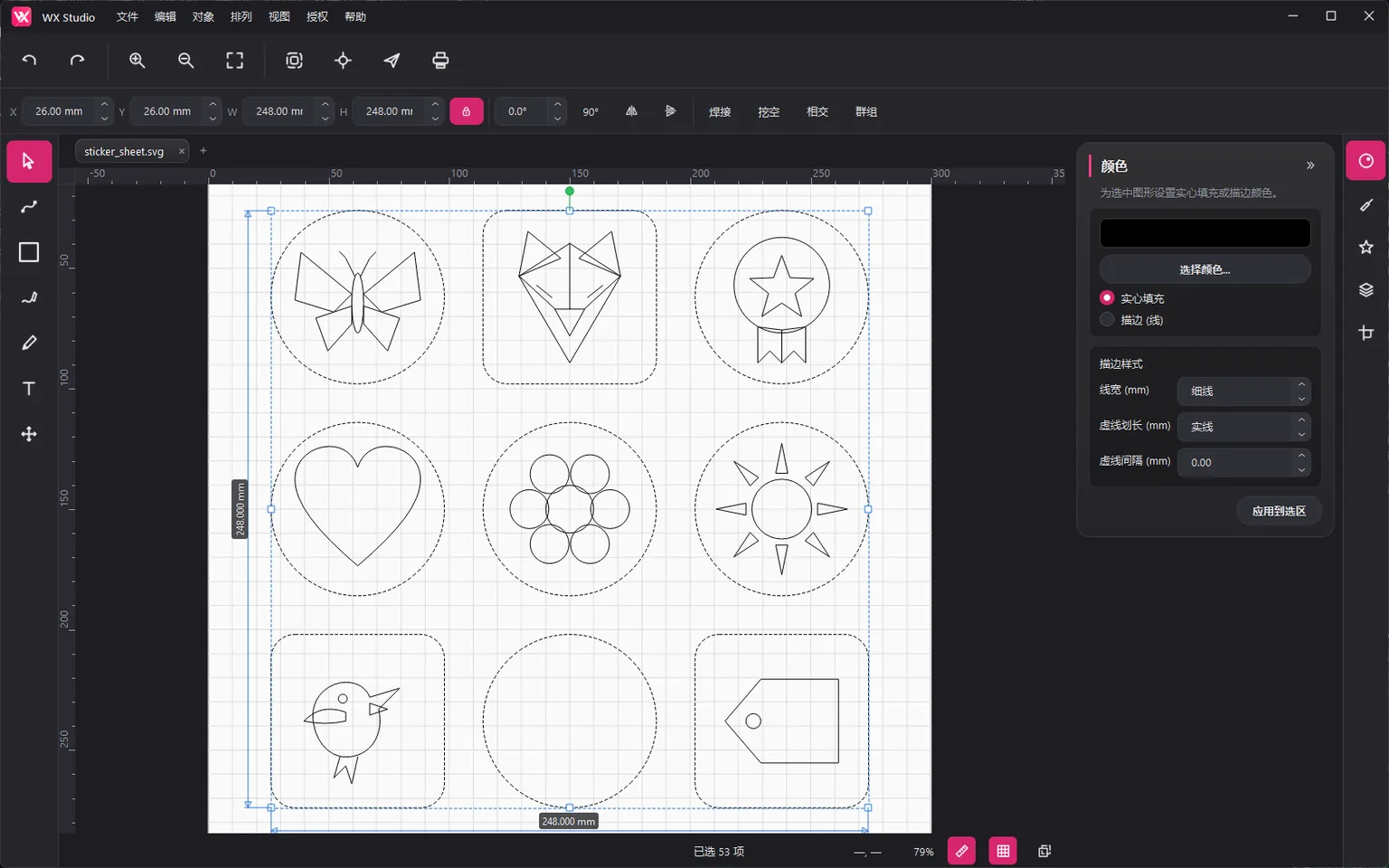
Full vector editing canvas
Complete path, text, and shape editing with multi-tab documents. Bézier paths, anchors, and control handles feel just like mainstream vector software.
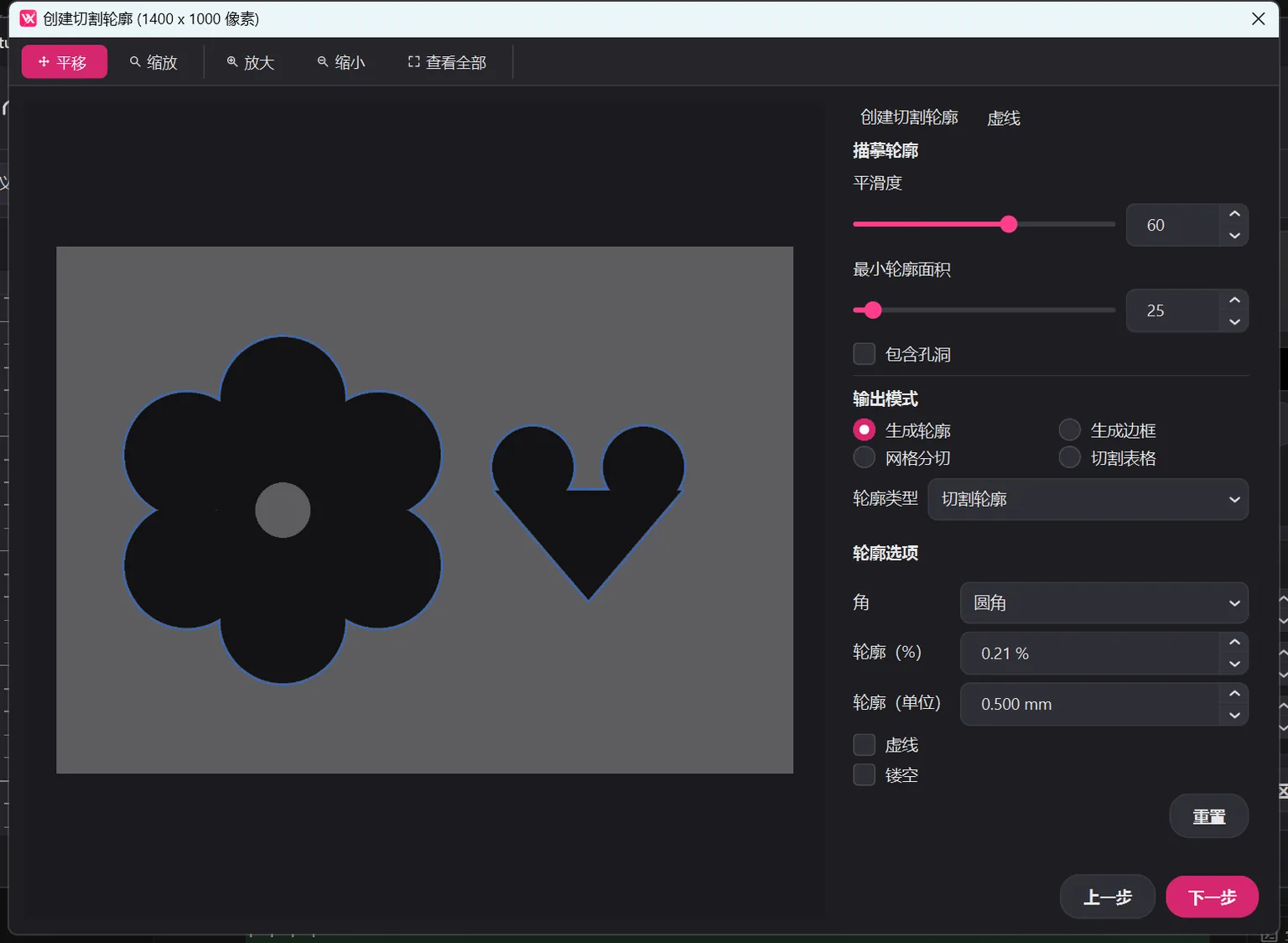
Contour generation & bitmap tracing
A unified contour workflow for vectors and bitmaps: binarized tracing, polygon offset, hollowing, and one-click presets. Bitmap artwork enters the cutting pipeline too.
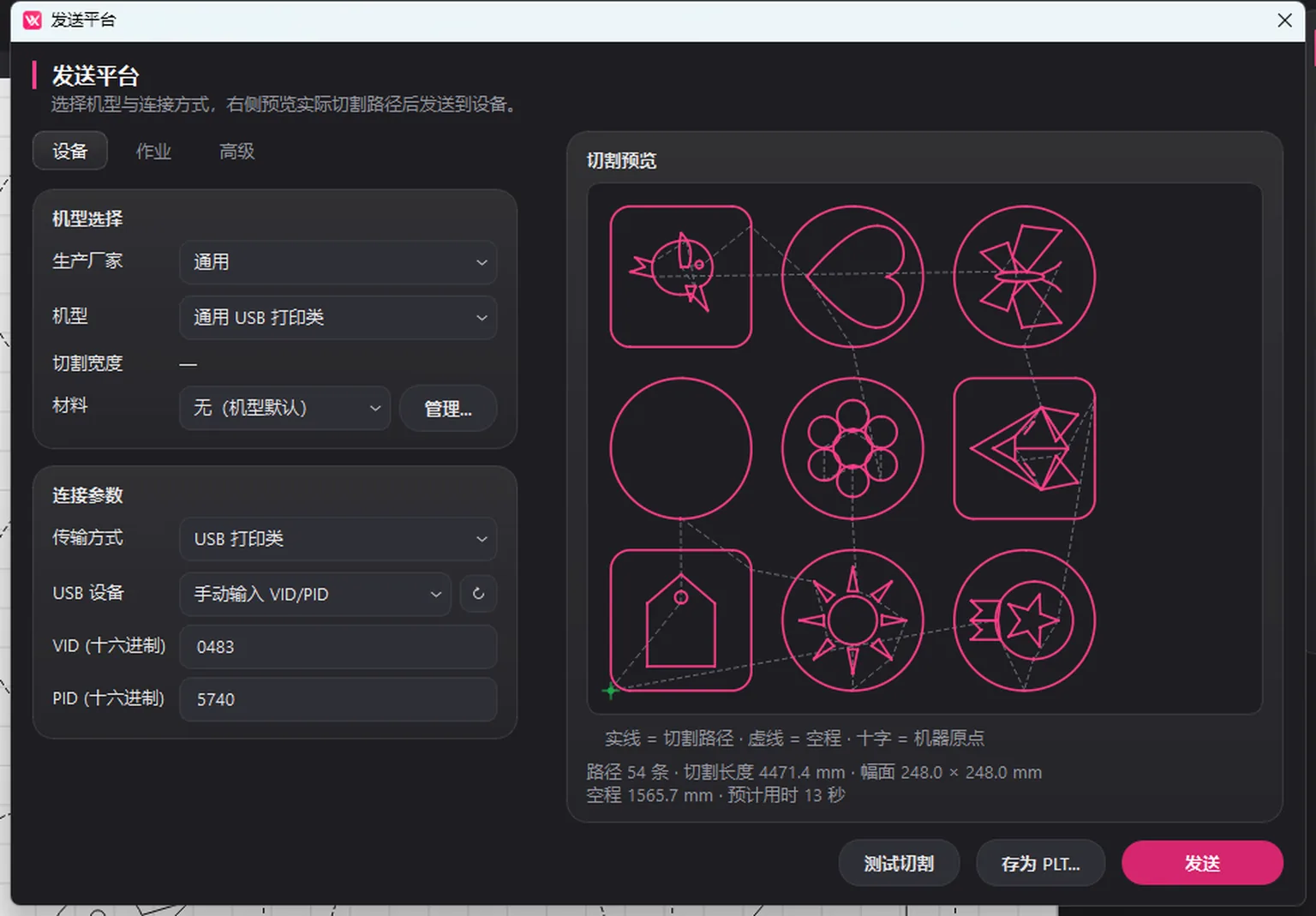
HPGL / PLT cutting output
Generates HPGL commands for cutting plotters, with serial and TCP direct output plus edge-seeking mode. From canvas to blade without third-party converters.
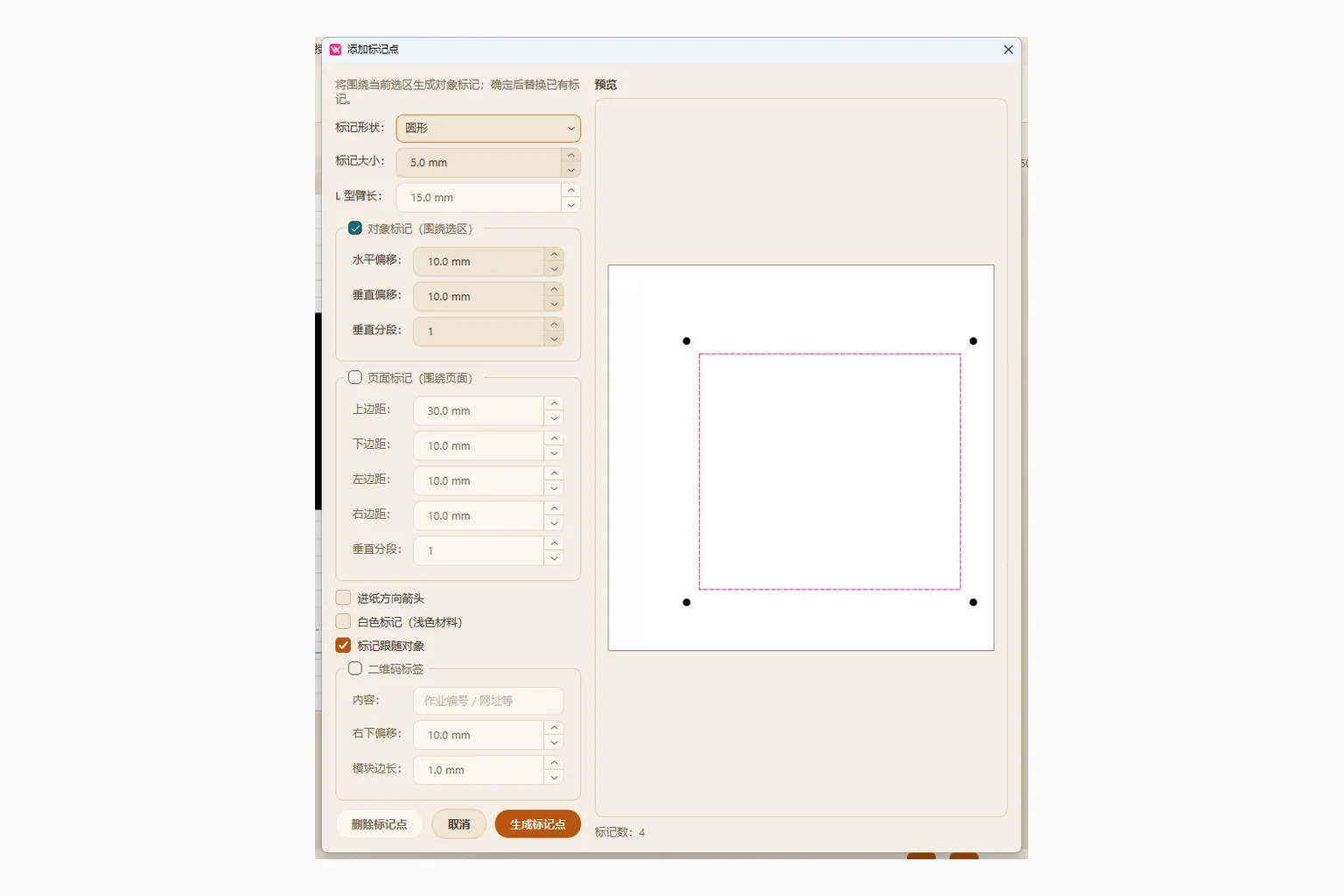
Registration marks & edge seeking
Object- and page-level circular and L-shaped registration marks, with adjustable vertical segments, support device alignment.
Smart layout & cutting grids
Page filling, evenly divided cutting grids, and other production layout tools that eliminate manual placement. Material utilization and throughput improve together.
Clipart library
Built-in categorized clipart with a growing cloud library. Drag it into the canvas to edit and cut. No need to draw common patterns from scratch.

Try these features in your workflow
One package includes WX Studio Desktop and both plugins. Pick what you need during setup.